Tools
If you know one thing about the 2020s, it's that it is an epochal moment in human history because of AI. I had a front-row seat, moving to Geoff Hinton's university right after the famous ImageNet victory. My department set up the world's first AI and Business conference in 2015, the world's first AI accelerator (CDL AI) in 2016 whose meetings I ran for many years, and the NBER AI conferences starting in 2017. I've been doing research on human/AI interaction and incentives since then. What's new since 2022 is the ease of spinning up your own software. Below are six tools I developed and use, plus a benchmark to track AI progress. The tools include an AI for university classrooms, an in-browser PowerPoint replacement, an in-browser PDF reader/editor, an AI-driven way to let readers read your papers, and an in-browser text and style editor.
All Day TA


All Day TA is a company I founded with Joshua Gans in 2024. The way we teach in universities today makes no sense. We prepare and then teach content. Our students then study by themselves, or Google, or with GPT - which is like studying with someone else's textbook. We give homework, the students get some wrong, and we hope they learn from their mistakes. Come test time, we find out what they didn't know.
AI offers a better solution. We take a professor's notes, handouts, readings, syllabus, class recordings, and slides. We then use AI to figure out learning goals, spin up a student-facing AI that can answer questions using a pedagogical approach 24/7 in a way that exactly matches your content. We guardrail that AI to prevent its use for current homework, its going 'off-topic,' or its using terminology or concepts you didn't use. We take the learning goals and spin up adaptive question banks where students need to explain mistakes when they make them, get instant feedback based on your classes, and continue until they know the topic. Then, each week, we report to the professor on where students have had trouble. And we do this for between 2 and 5 bucks a student for your course, at a level higher than any other tool on the market. It's honestly amazing - I've had 12000 interactions with the AI from my students in a single class. We're now being used on every continent, in 25 countries, at universities from Harvard on down to community colleges and regional schools. Email me at kevin@alldayta.com to set up your school. We started the company because we needed serious, rigorous developers to make this available worldwide as quickly as possible, and with all the data privacy and accessibility requirements you and your students need (e.g., we silo all class data and never train or use your documents for any other class).
Modern Papers


PDFs are an insane format to read a paper in. But what can you do - they are professionally typeset, often old, so we all just Ctrl-F our way around. Modern Papers (GitHub Repo), showing here my paper on entrepreneurial migration with Jorge Guzman, solves this problem. You drop in your PDF or LaTeX and a .bib file. It then spins up an XML version of your paper, moving tables into Markdown, links sections and figures and so on. There is sometimes a minute or two of work here to clean up, and you will need to save your figures as fig_1.png, etc., but it's basically all automated after that.
From there, the magic starts. Few people read the full paper - why not give shorter versions? We have AI spin up a "layman's summary" for people who want a quick look, but you can see the ability to have a 500-word, a 2,000-word, and a complete version of your paper, that expands for readers who want more detail, is trivial. We also have a free AI chat companion for the paper, which is honestly really really really high quality. You can also check out my startup hiring paper with Hoffman and Sariri or make your own XML versions via GitHub.
Modern Slides
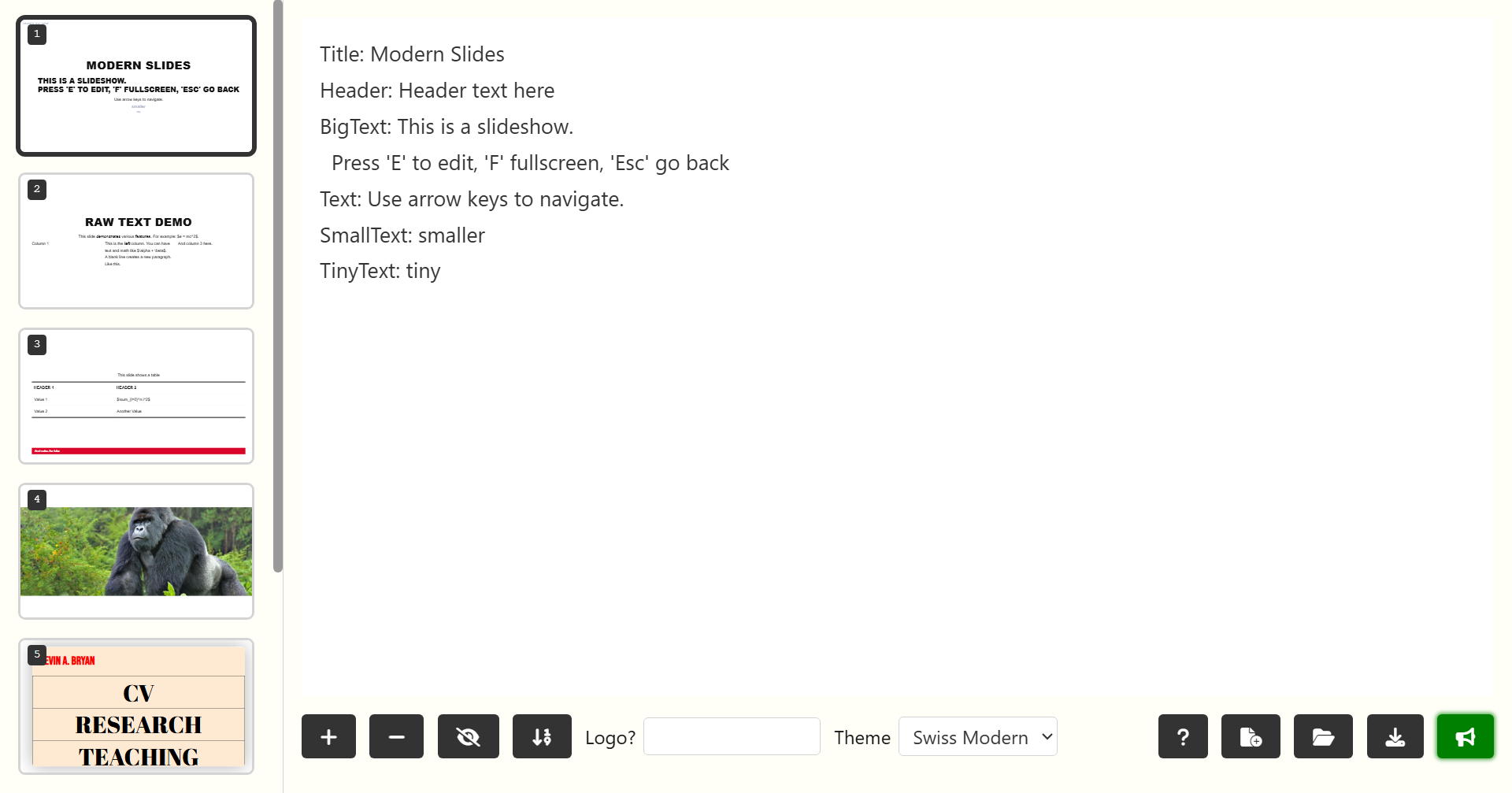
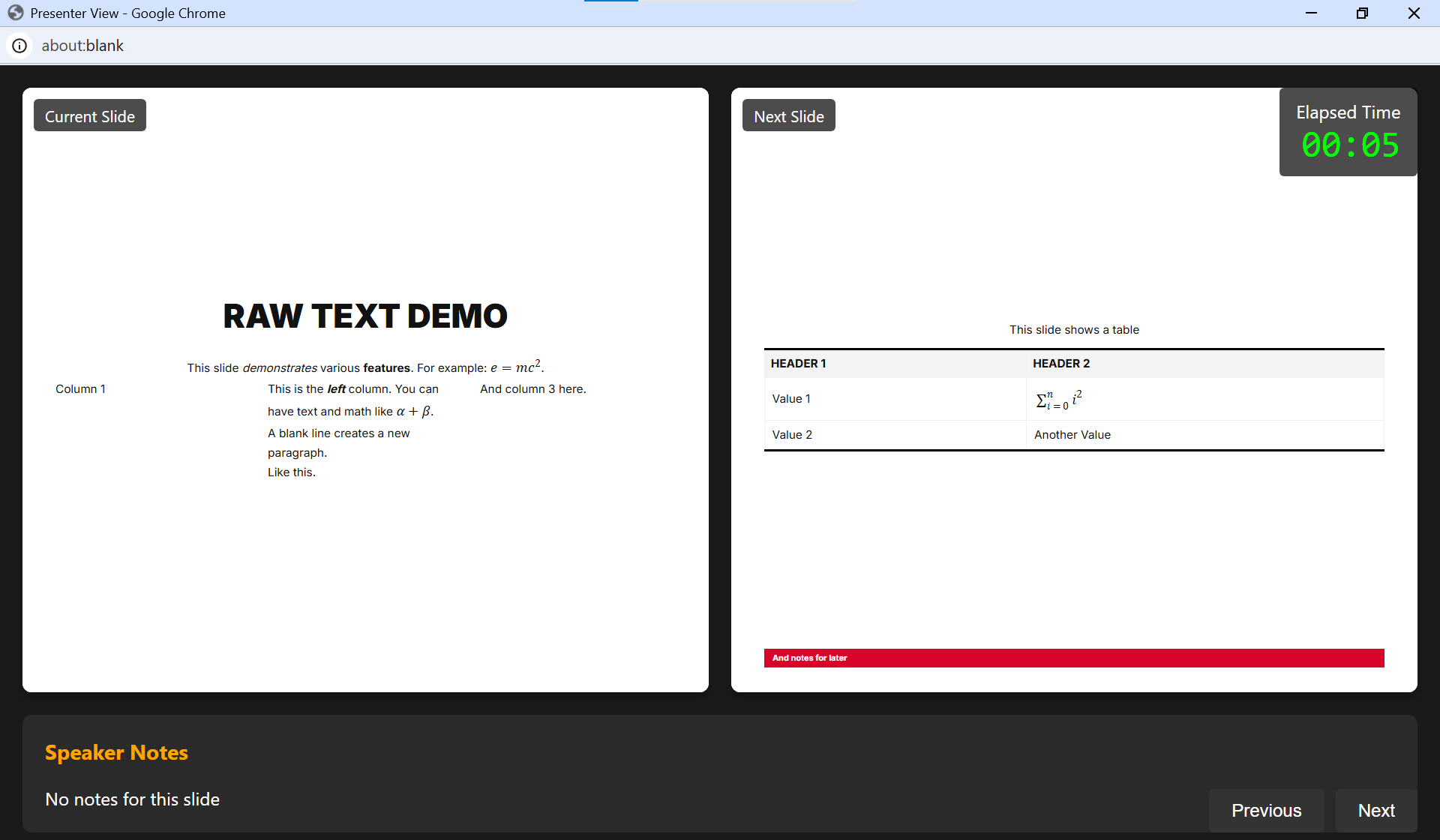
[Updated Aug 2026] PowerPoint is annoying to use and to format slides nicely. Beamer gives you control, separating design from content, but it's ugly. Both use way too much compute. Modern Slides (GitHub Repo) is a slideshow program running fully in your browser. You can add your own house style - once you have one you like, you are done (see the example CSS for what you will need). Then, in edit mode (press 'e' to toggle back and forth, 'f' to go fullscreen, and 'p' to open up a presenter view with your notes), you can edit your slides as you like using a simple interface.
This is a modern, very computationally light, slideshow maker. It completely separates style rules from content. You can use my link above or download the whole thing from GitHub. Once your slides are set, click download to get the pure text version of your slides. You can upload that text file to anywhere you like, then open it with a URL query, e.g., https://kevinbryanecon.com/ModernSlides?deck=Progress2025Class1. That URL query uses the index.html and styles from my website, but you can of course use a URL query on your own website as well if you upload the base files.
Each slide is defined by directives in a Markdown-type format. A directive starts a line, ends with a colon :, and its value is all text that follows until the next directive. That's all! You can of course link to images or animated GIFs online, and quite cool, you can include whole websites that you can operate on if they do not block iframing. Your personal website and any tools there are almost certainly going to work. You can just click to the site of the framed website to be able to scroll back and forth again between slides.
Useful Knowledge
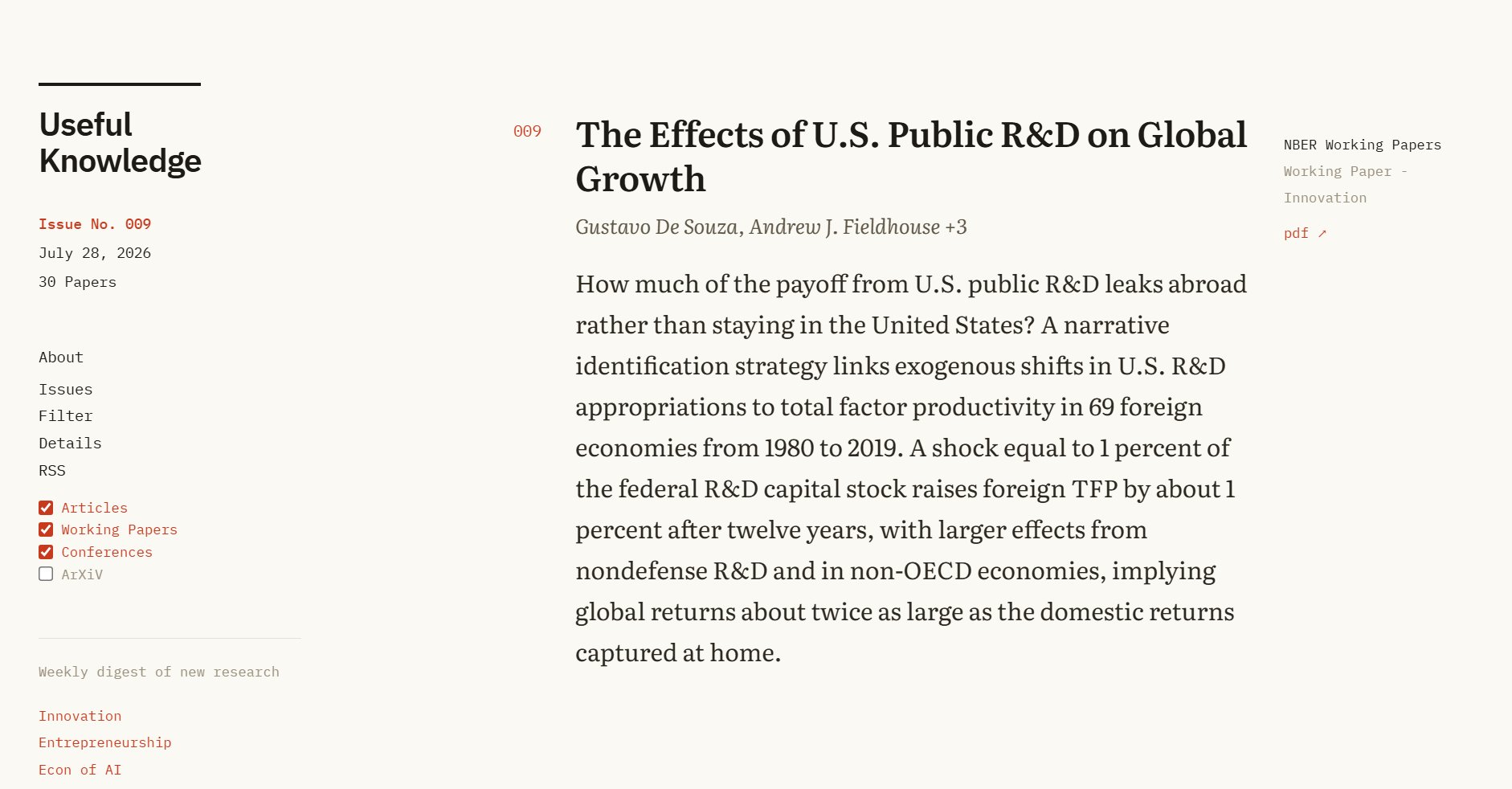
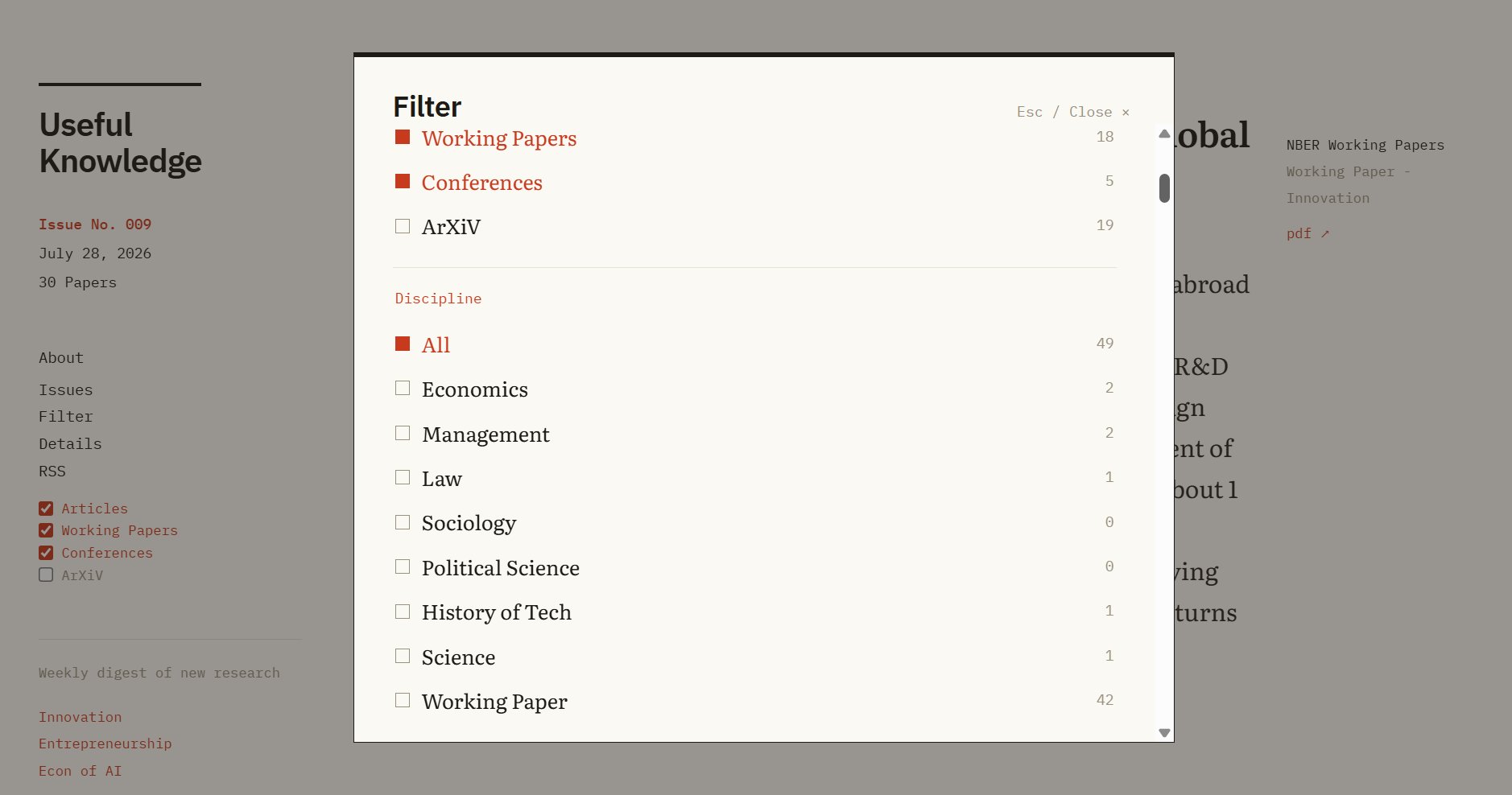
How to keep up with new literature? Especially in my fields - innovation, econ of AI, entrepreneurship - good papers are published in many fields, in dozens of journals, and largely via working papers. Useful Knowledge runs a Wednesday automated update that scans 92 journals, conferences, and working papers series for new research, uses AI to grab any related to these three fields, rewrites the abstracts for readability, reorders by importance, and then pushes to the web and to an RSS feed.
The feed is fully customizable for given users in terms of what is shown. Next step: make the way the results are presented be hyperspecific to a given reader's interests and background. That is also trivial with modern AI and could be done literally for pennies per year per person. Since April 2026, this feed is the only method I use to keep up with literature in my field.
ModernPDF
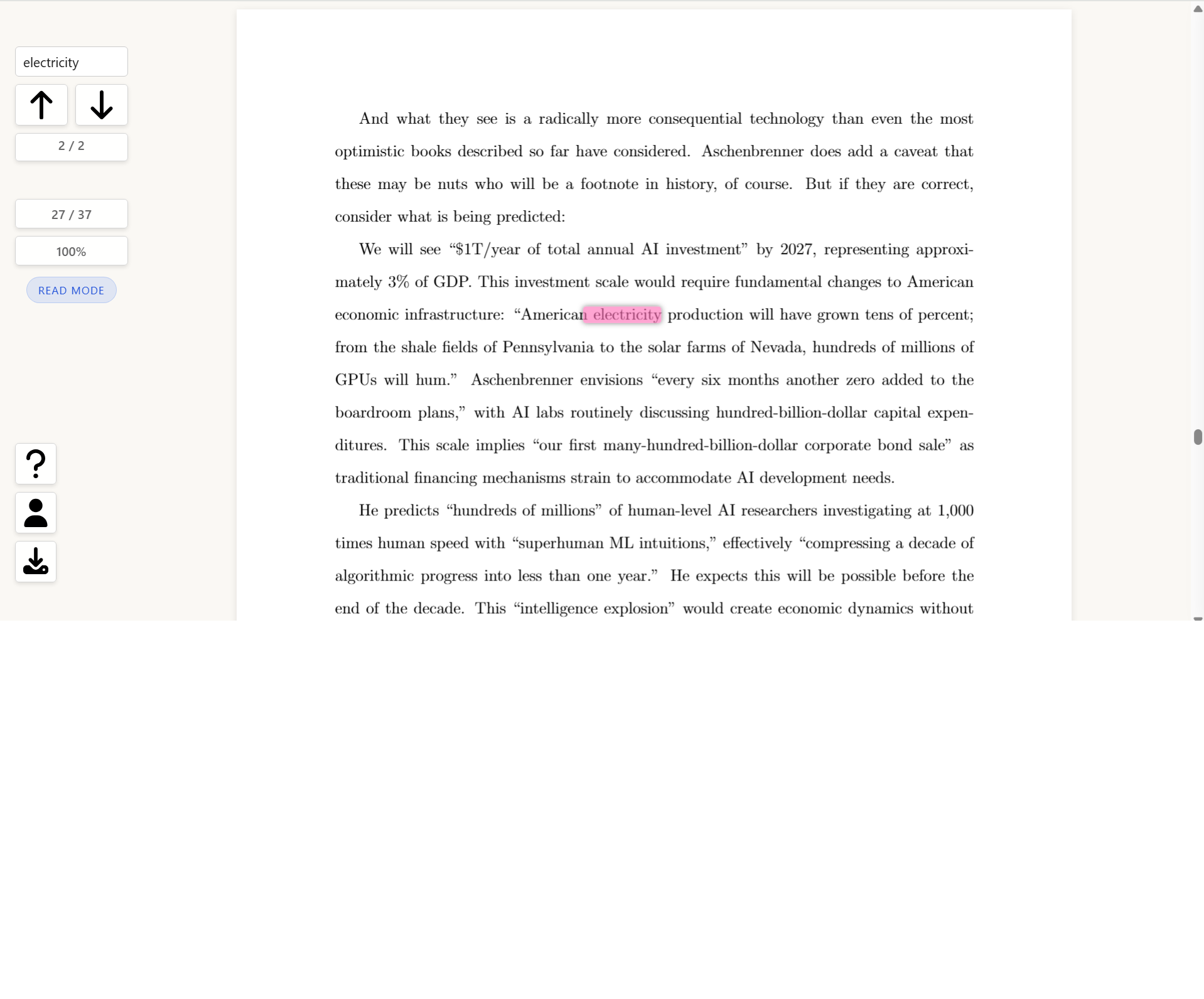
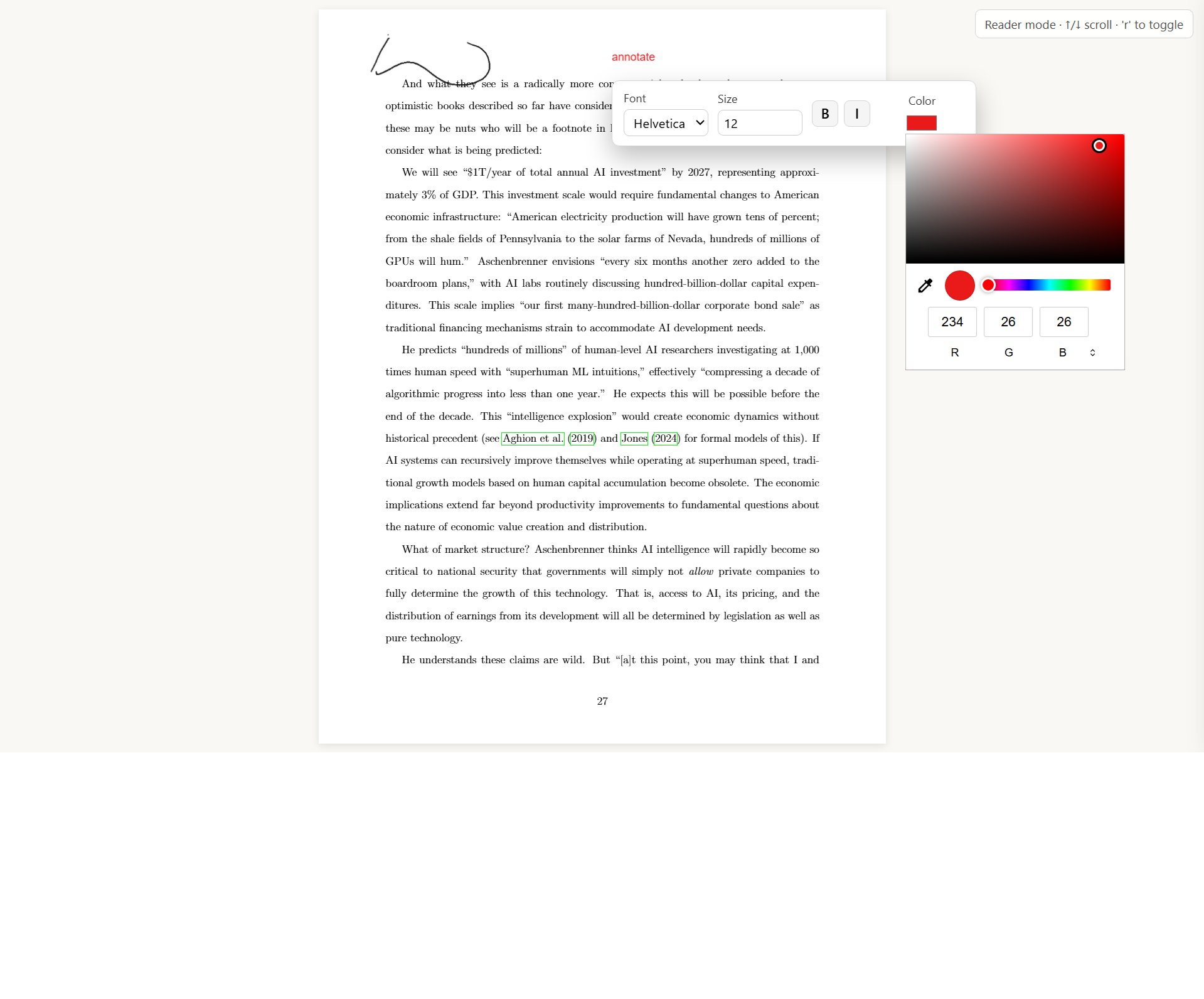
Acrobat sucks. In-browser native PDF readers don't let you sign, annotate, comment and do other common tasks. So let's build a Chrome extension that has just enough features to cover everything I do while running super fast, in browser. ModernPDF (GitHub Repo) is a Chrome/Chromium extension that captures PDFs in browser, lets you use one-button keyboard combos to zoom, annotate, sign, comment, search, and download. It contains a "reader mode" which is full screen. Most importantly, it is simple, fast, and can be installed on your Chrome or Edge browser in ten seconds.
Modern Editor

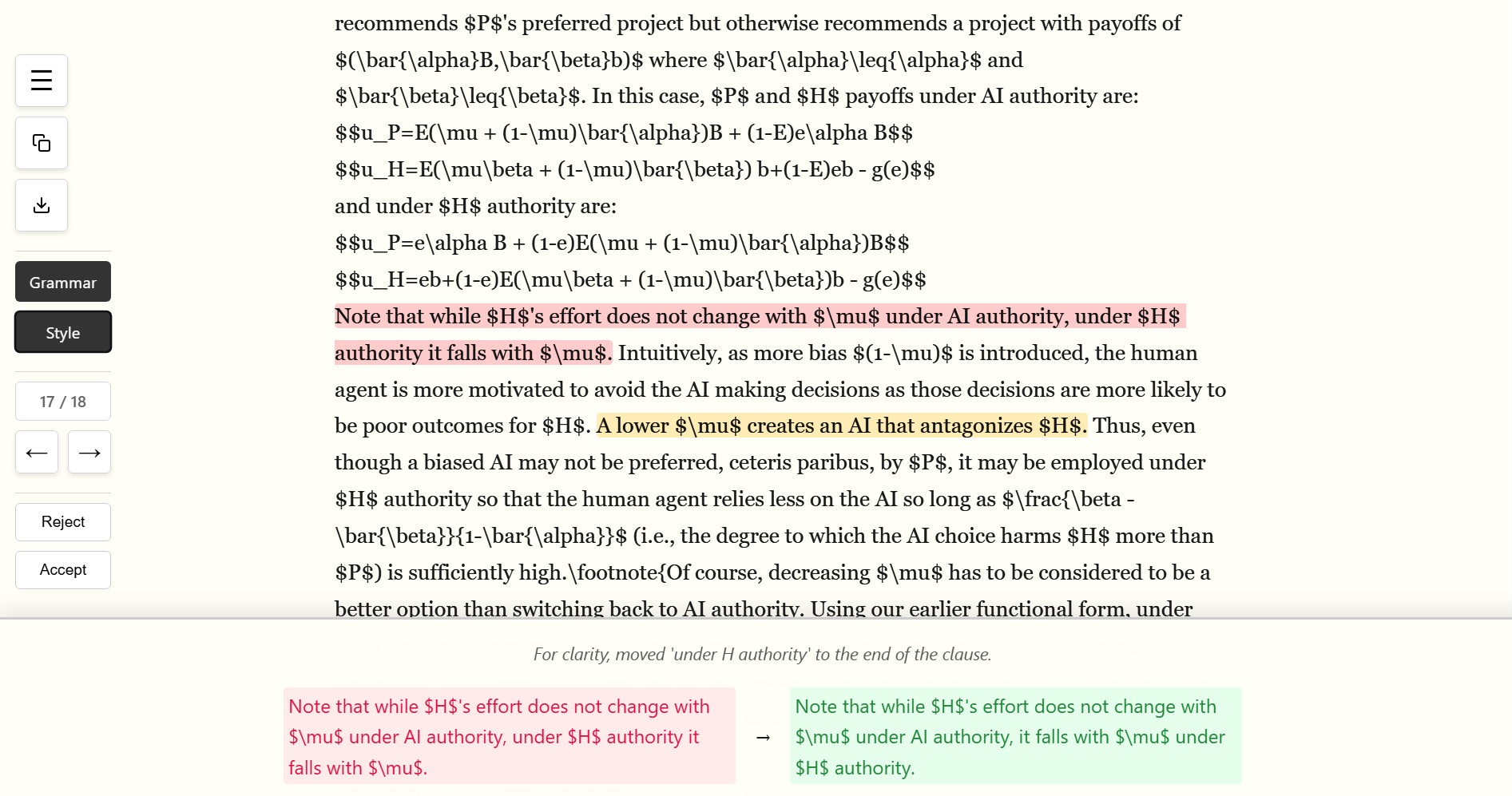
There are many ways to properly check spelling and grammar. They are inadequate on two grounds. First, they often handle academic writing in LaTeX or Markdown poorly, unable to separate the technical parts from the writing. Second, they don't actually edit like a good editor, who has a set of stylistic preferences. For instance, "We analyzed the experiment. This analysis showed..." is ugly - the verb and noun form of analyze/analysis back to back would be caught by an editor.
No problem with AI. Modern Editor (GitHub) lets you create a custom "style guide". I have a few defaults loaded that are thousands of words long. We then let AI first handle simple spelling and grammar, then run through our writing with a style editor's pen. A simple UI lets you see suggested corrections and accept them with Enter or reject them with Backspace. If you highlight a selection, you can ask the AI to simplify (it will give varying levels of simplification), and if the highlighted section is a proof, there is even a (rudimentary) proof checker which often finds missing assumptions. This uses AI models - Gemini at present - but it's so light that you are unlikely to use it enough to even spend a penny. And of course, if you download this, you can write your own 'house style rules'!
HardGeoBench
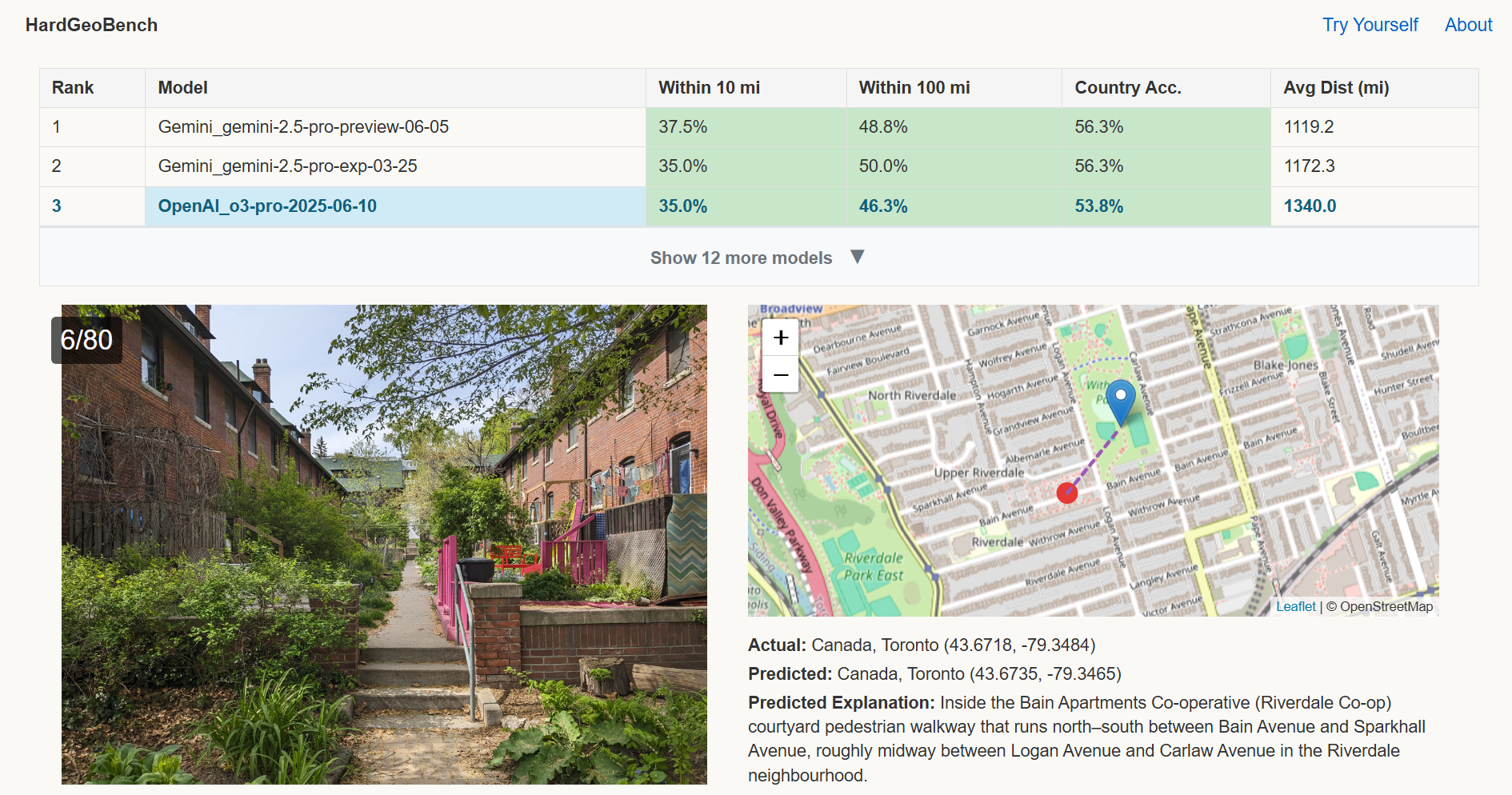
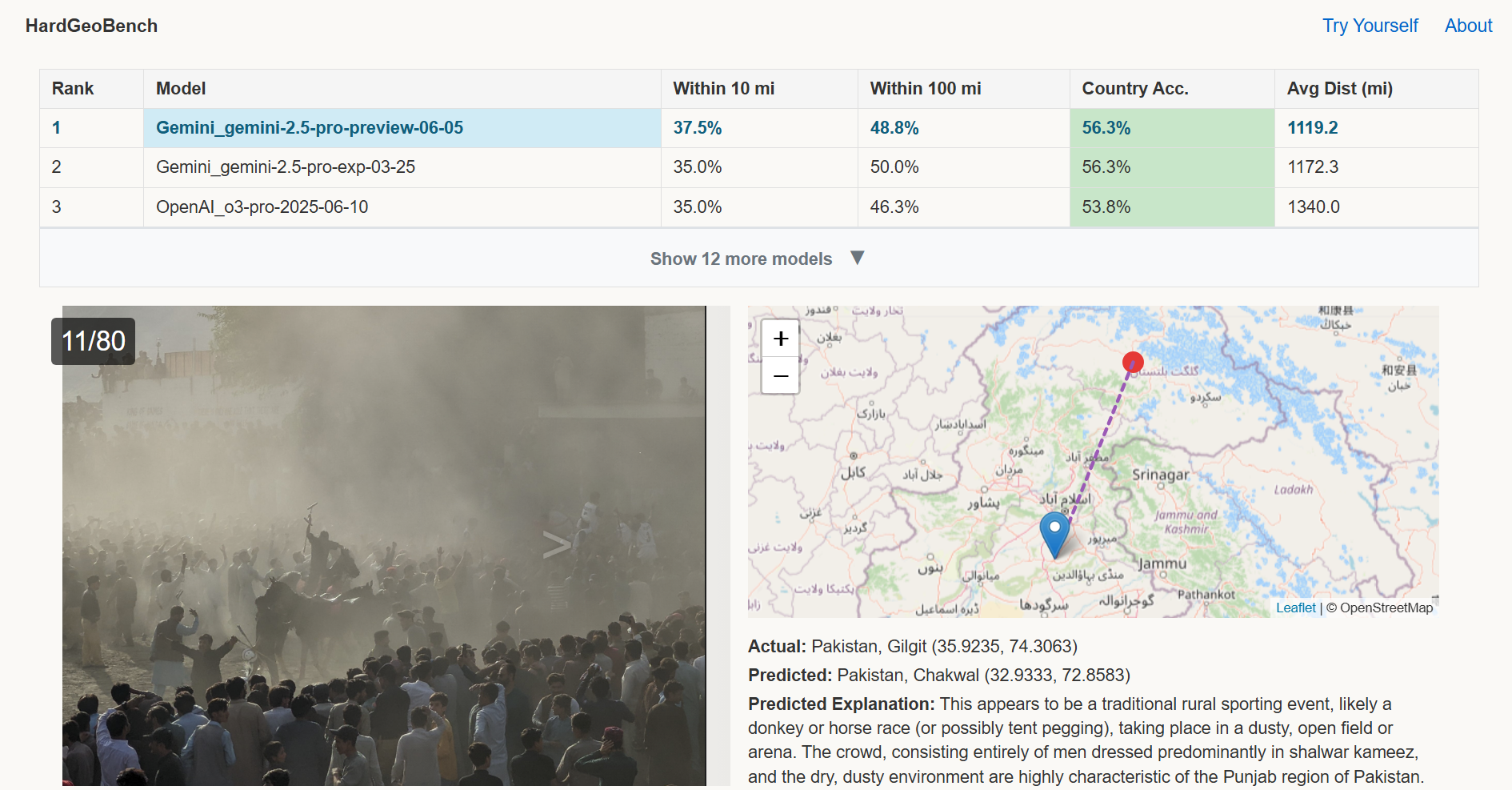
AI famously can identify locations from photos. Locations in many tourist snaps, or ones that have road markings and other indicators that GeoGuessr fans know, are too easy. My HardGeoBench benchmark, since May 2025, uses a custom set of 80 photos, all with no metadata, never on the internet before, of locations that even expert GeoGuessr users would struggle with. Yet the top models in mid-2025 get 38% correct, and some model gets it right almost 60% of the time. Pretty amazing. This is being incorporated into a third-party standardized benchmark.
Rotman Expenses


Now deprecated, but great for the year we used it! Expense reporting sucks. At my school, we have to gather receipts, check the exchange rate, add up expenses by category, arrange receipts by category, fill out and sign a cover sheet, then attach all those receipts in a giant PDF. I spent an afternoon with AI writing software to automate all of it. List your trip start and end dates, any per diems, drop in all receipts (even taking photos with your computer of any paper ones, as sloppily as you like). The AI will grab the appropriate exchange rates, transcribe the receipts, categorize them properly, add up all the expenses, reorder all the receipts, let you sign on screen, and then generate a PDF that is in the exact format the finance folks wanted. No one's the wiser! Our whole department uses this. (And of course I can just send the XML data to finance if they wanted to avoid typing anything in!)